
Reconcile the bank before coffee.
Import a statement and One matches lines to invoices, bills and transfers using your rules. You only look at what it is not sure about.
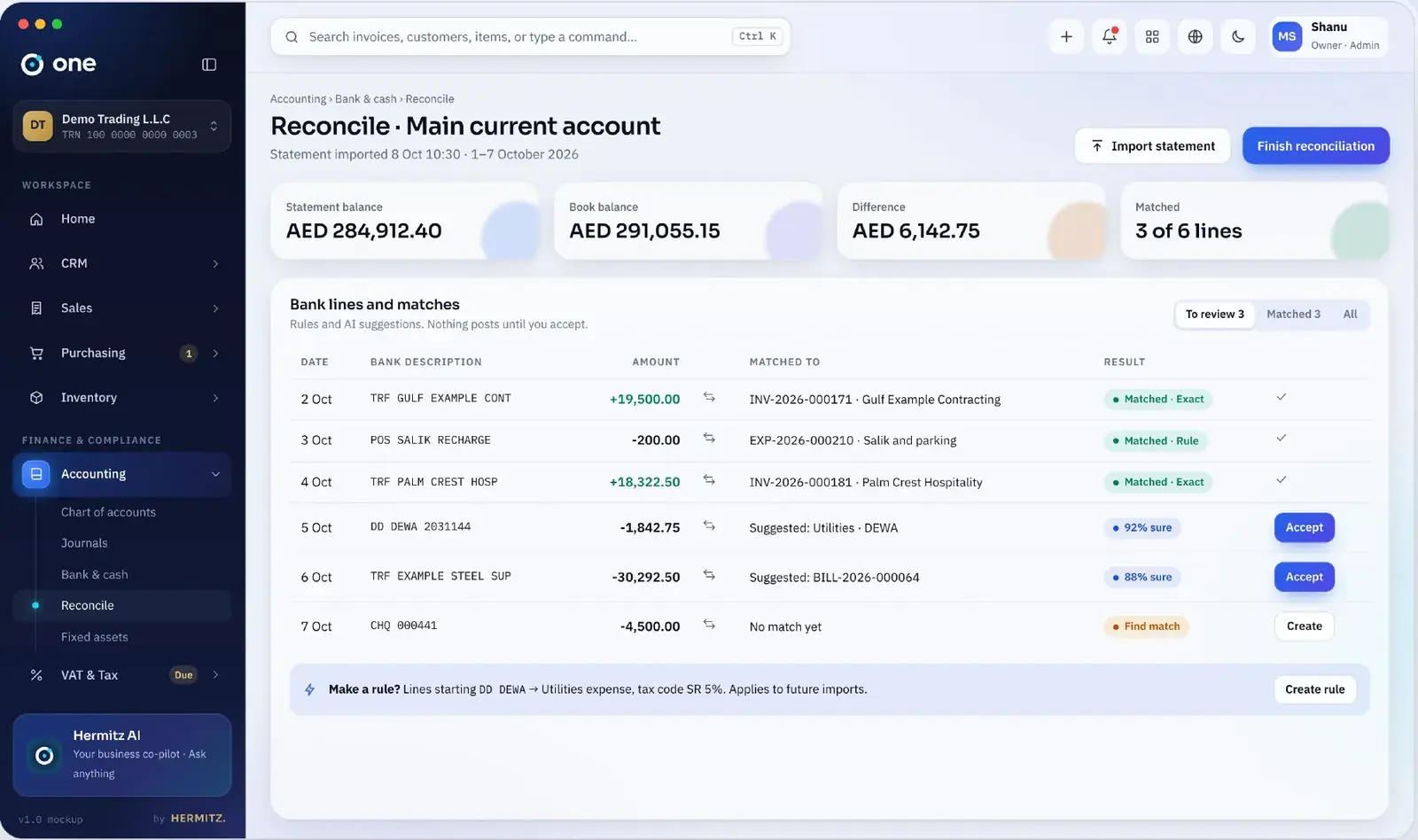
Banking, in detail.
Bank and cash accounts
Every account in its own currency, with transfers between them.
Statement import
CSV and Excel from any bank; bank feeds where your bank offers them.
Matching rules
Teach One once (“DEWA → utilities”) and it applies the rule every time.
Suggested matches
Invoices and bills suggested by amount, reference and date, with a confidence score.
Cash position
Real balances and expected receipts and payments for the next weeks.
Audit-ready
Reconciled periods are locked and printable.
Three steps, no retyping.
Connect or import
Upload the statement or connect a feed.
Confirm matches
Accept suggestions; create entries for the rest.
Lock
Close the reconciliation for the month.
Questions people ask
Do you support direct bank feeds?
Statement import works with every bank. Direct feeds depend on the bank and country and are added bank by bank.
Can I reconcile multiple currencies?
Yes. Each bank account has its own currency; exchange differences post automatically.
What about cash on hand?
Cash accounts work the same way, with counts and transfers to the bank.
When is banking available?
Bank and cash accounts arrive with accounting in v0.2; rule-based reconciliation is planned right after.
Start with one place for the whole business.
Free plan forever. 14-day trial on paid plans, no card. We set you up within one working day.