
Send the invoice. The rest is done.
Quotes turn into invoices, invoices post to the ledger and VAT, stock moves, and reminders go out on schedule. Issued invoices are locked; corrections are credit notes.
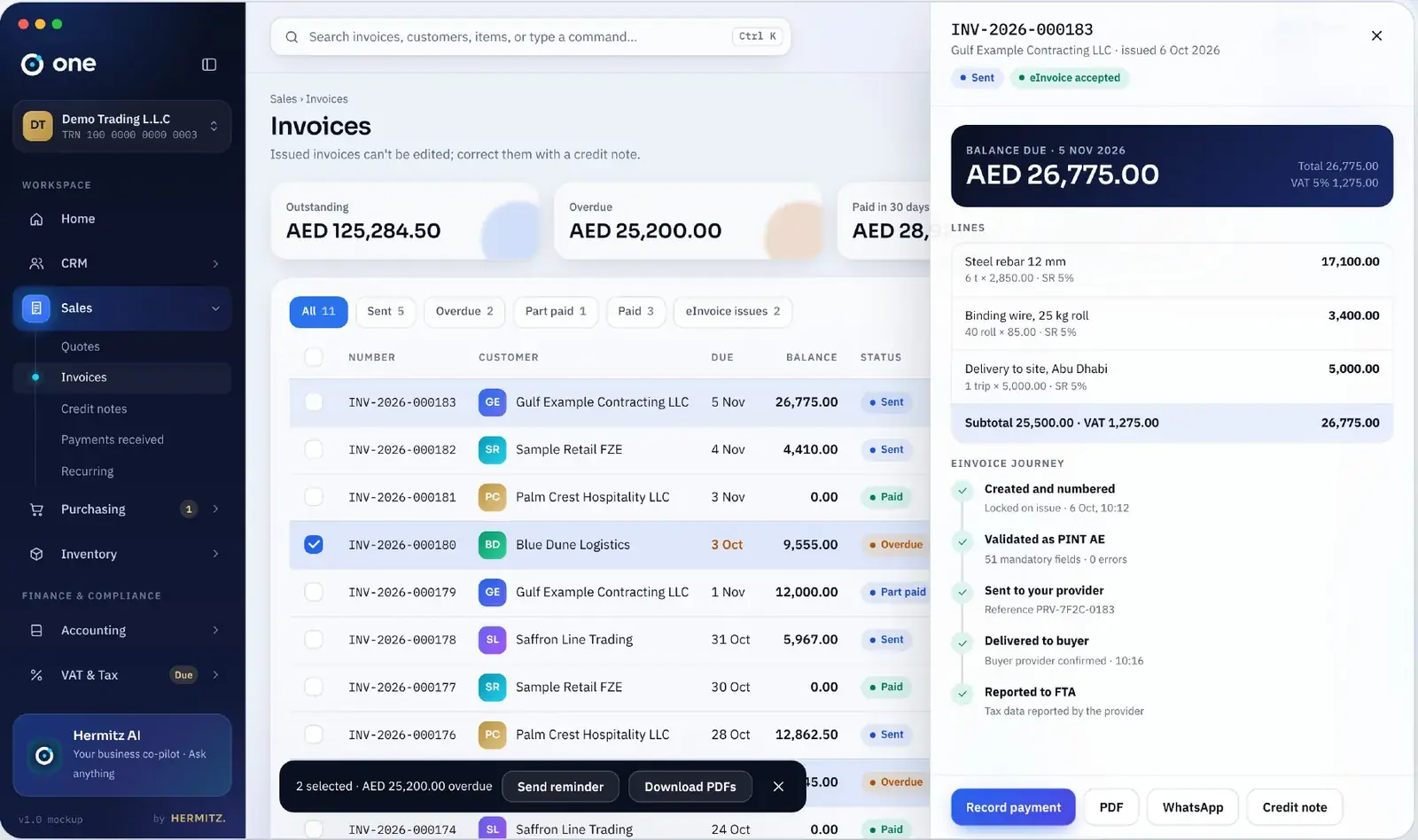
Invoicing and sales, in detail.
Quote to cash
Quote, convert to invoice, record the payment and reconcile it, without retyping anything.
Tax invoices that pass inspection
Required fields for your country are checked before you can issue: tax numbers, rates, totals, wording.
Locked after issue
Issued invoices cannot be edited. A credit note corrects them, so the customer copy and your books always match.
Get paid faster
Payment links, partial payments, automatic reminders and a statement the customer can open on their phone.
Multi-currency
Invoice in the customer’s currency; One records the exchange rate and the gain or loss when paid.
WhatsApp and email
Send invoices and reminders where your customers actually read them.
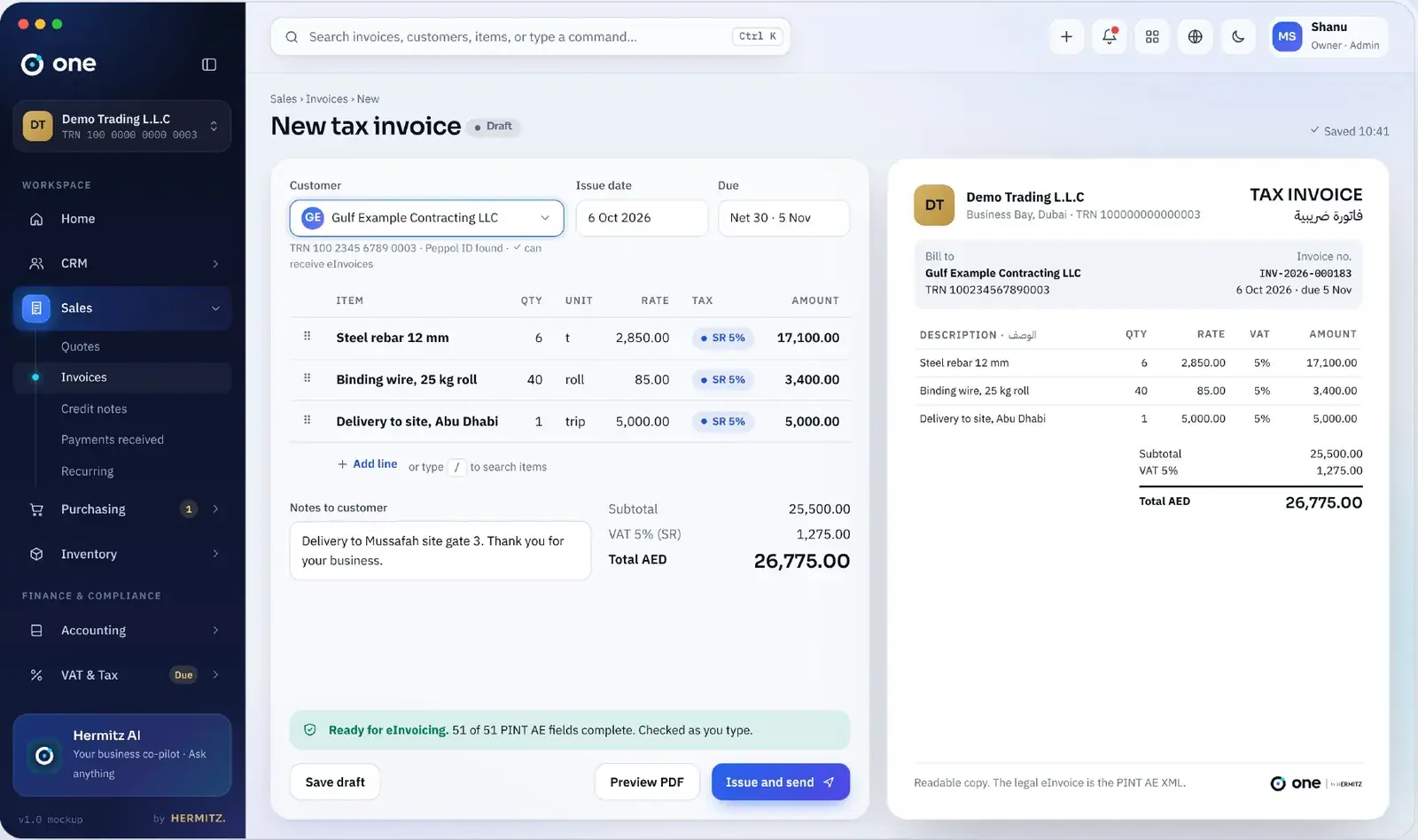
Three steps, no retyping.
Create
Pick the customer and items; tax is worked out per line.
Issue
One numbers it, locks it, posts it and (where required) sends the e-invoice.
Collect
Reminders go out; payments match automatically.
Same ledger, connected modules.
Questions people ask
Can I edit an invoice after sending it?
Not once it is issued. You raise a credit note and, if needed, a new invoice. Drafts can be edited freely.
Does it handle recurring invoices?
Yes. Set the frequency and One issues and sends them on schedule.
Can customers pay online?
Yes. Invoices carry a payment link once you connect a payment provider in your region.
When will invoicing be available?
Invoicing is planned for release v0.3, after accounting and VAT (v0.2). Join the trial list and we will tell you the day it ships.
Start with one place for the whole business.
Free plan forever. 14-day trial on paid plans, no card. We set you up within one working day.